
Apple Vision Pro

Important Links
 Safety Operating Procedure
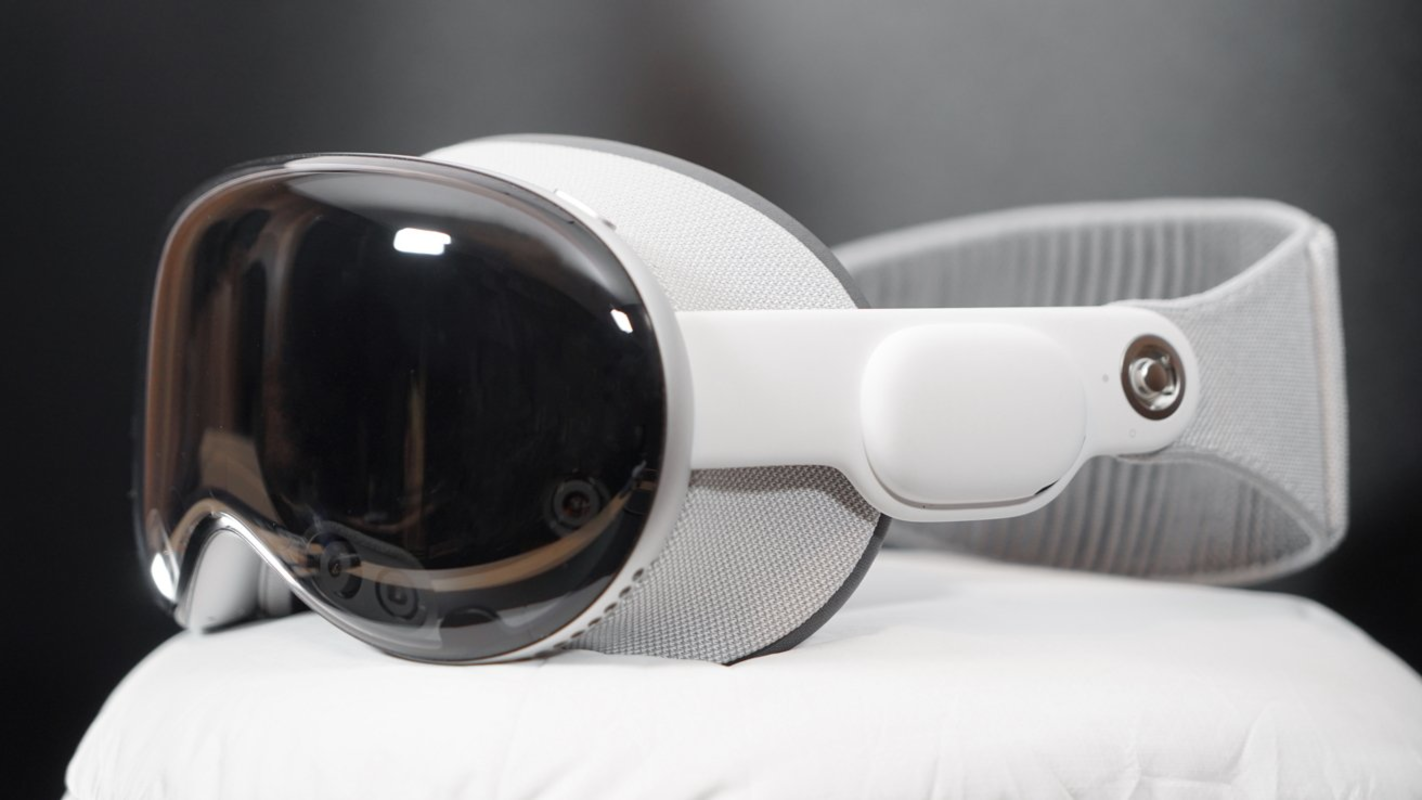
Description The Apple Vision Pro is a head-worn spatial computer (mixed-reality headset) that blends digital content with the user's real surroundings through high-resolution camera passthrough. It is controlled by eye tracking, hand gestures, and voice, with a Digital Crown to dial between full passthrough and full immersion. A dual-chip design pairs the M5 processor with a dedicated R1 sensor coprocessor for low-latency passthrough. In the lab, it serves as an XR research and visualization platform—prototyping spatial interfaces, viewing 3D material and sensor data immersively, and exploring embodied interaction with digital fabrication workflows.
Specs * Type: Head-mounted spatial computer (mixed-reality headset) * Processors: Apple M5 chip + R1 sensor coprocessor * Displays: Dual micro-OLED, ~23 million pixels total (more than a 4K TV per eye), up to 120 Hz * Sensors: 12 cameras, 5 sensors, 6 microphones * Input: Eye tracking, hand gestures, voice; Digital Crown + Capture button * Audio: Dual-driver spatial audio pods * Memory/Storage: 16 GB RAM; 256 GB / 512 GB / 1 TB * Power: External aluminum battery (USB-C); ~2.5 h general use, ~3 h video; runs continuously when plugged into mains * Weight: ~600–650 g headset (varies with Light Seal/band) + 353 g battery * Optics: ZEISS magnetic optical inserts available for prescriptions * OS: visionOS
Hazards
- Reduced spatial awareness: immersion limits awareness of real surroundings—risk of tripping, collisions, or falls
- Motion sickness / eye strain: some users experience dizziness, nausea, or fatigue, especially in full immersion
- Drop / impact: a fragile front glass and high replacement cost; dropping or face-down placement can crack it
- Cable trip: the tethered external battery cable is a snag point
- Sunlight damage: lenses can focus direct sunlight and permanently damage the displays
- Neck/face fatigue: device weight causes strain over long sessions
- Photosensitivity: bright or flashing content may affect sensitive users
Things to Avoid
- Walking through large or unknown spaces while immersed; using near stairs, ledges, or water
- Direct sunlight on the lenses (can permanently damage the displays)
- Cleaning lenses with alcohol, solvents, or rough cloths
- Dropping the headset or setting it face-down on the glass
- Wearing eyeglasses under the headset (use ZEISS inserts instead)
- Prolonged sessions without breaks; puncturing or overheating the battery
Safety Checks
- Clear an obstacle-free, seated-or-bounded use area before putting it on
- Battery charged and cable connected and secured
- Light Seal and band fitted to the user; correct cushion size
- Lenses clean; ZEISS inserts installed if needed (no eyeglasses underneath)
- User has no contraindication (history of severe motion sickness or seizures) and is seated for first/immersive use
Operational Checks
- Run eye-tracking setup/calibration for the current user
- Start in passthrough and increase immersion gradually with the Digital Crown
- Stay seated or within the cleared area; mind the tethered battery
- Take breaks (e.g., every 20–30 min) to reduce eye strain and fatigue
- Stop immediately if dizzy, nauseous, or experiencing eye strain
Cleanup
- Power down and set aside on a soft surface, lenses up
- Clean lenses only with the included dry polishing cloth—no liquids, alcohol, or abrasive wipes
- Wipe or replace the Light Seal cushion between users for hygiene
- Place in the cover/case; coil the battery cable loosely
- Recharge the battery; store away from heat and direct sunlight
- Log usage and return to its station